Commercial publisher ISBN apply: Complete India Guide
If you are searching Commercial publisher ISBN apply, you probably want one thing: a clear process that gets approved without delays. This complete guide explains who actually needs an ISBN, how the 3-phase approval works, what documents to keep ready, and how to submit title details (single or bulk). It also covers rejection fixes and the final Title Verso verification step so you can publish confidently and move fast.
Commercial publisher ISBN apply—check if ISBN is needed
ISBNs are assigned to text-based monographic publications (one-off publications), not serials like journals, newspapers, or newsletters.
- If your book is made publicly available (for sale or even free), it can be identified by ISBN.
- Even individual sections (like chapters) made available separately may also use ISBN as an identifier.
Eligible vs Not Eligible (quick clarity table)
| Type | ISBN fit? | Why |
|---|---|---|
| One-off books (text-based) | Yes | Monographic publications |
| Free/publicly available book | Yes | Public availability allowed |
| Journals/newspapers/newsletters | No | These are serials |
JMI
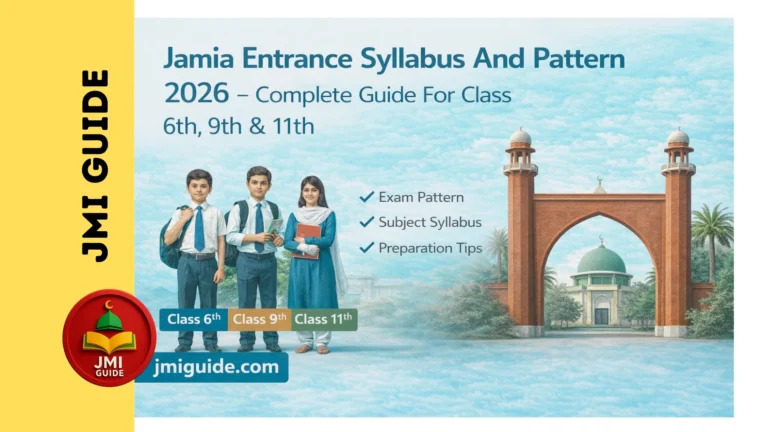
Jamia Entrance Syllabus and Pattern 2026
Jamia Millia Islamia (JMI) conducts school entrance exams for Class 6th, 9th, and 11th (Science, Commerce, Arts). If you’re preparing for any of these, understanding the Jamia Entrance Syllabus and Pattern is the first step to success.
What is a Commercial Publisher (and other categories)
A Commercial Publisher is typically a profit-based entity/company that produces and disseminates literature, academic texts, magazines, or other written and electronic content.
Publisher categories shown include: Commercial Publisher, Institutional Publisher, Institutional Author, Self Published by Author, Individual Publisher.
Commercial publisher ISBN apply—3-phase approval (must know)
The process works in 3 phases: Approval of Registration → Approval of ISBN Category → Allotment of ISBN.
- Registration is approved only if correct details + supporting documents are provided.
- ISBN category is provided according to the publisher category you registered under.
- ISBN allotment happens only if accurate book details are submitted.
Confused vs Clear—what each phase actually means
| Phase | Confused thinking | Clear meaning |
|---|---|---|
| Registration approval | “Form fill is enough” | Documents + correct details decide approval |
| Category approval | “Any category works” | Category depends on how you registered |
| ISBN allotment | “ISBN comes instantly” | Book/title details must be accurate |
Commercial publisher ISBN apply—7-step process (full workflow)
The full workflow is: Pre Registration → Login → Post Registration → ISBN Request → Add Books → ISBN Issuance → Final Title Verso Page.
Step 1: Pre Registration
Start from the portal options like Search ISBN / Applicant Registration / Applicant Login.
Step 2: Login
Login with your applicant account and proceed with your application steps.
Step 3: Post Registration (basic details + imprint + documents)
Complete basic details (and imprint/trade name, if applicable), then finish the documentation section.
Step 4: ISBN Request (My Application)
Create a New Application and submit it.
Your Application Reference Number appears only after successful submission, and after submission no alterations can be made.
Step 5: Add Books (title details)
You can add title details:
- Individually, or
- Multiple titles (bulk upload).
Step 6: ISBN Issuance
You will see status like Allotted or Rejected, and you can view rejection reasons.
Step 7: Final Title Verso Page (final verification)
Upload the Final Title Verso Page. This confirms the application details match the book accurately.
This is the complete Commercial publisher ISBN apply workflow in one place.
Documents checklist for Commercial publisher ISBN apply
The documentation section includes these key proofs:
| Document | Who it belongs to |
|---|---|
| PAN Card of Administrator | Administrator |
| Registered Address Proof of Publishing Agency | Publishing Agency |
| PAN Card of Publishing Agency | Publishing Agency |
| Address Proof of Administrator | Administrator |
| Udyog Aadhaar / Address Proof of Administrator | Administrator (option) |
| Address Proof of Publishing Agency/Administrator | Option path shown |
Registration is approved only when correct details + documents are provided, so keep these ready before you start.
Timelines you should expect (practical)
These timelines are mentioned for the process:
| Stage | Typical time |
|---|---|
| ISBN Registration verification/approval | 2–3 working days |
| Category allotment | 1–2 working days |
| Assigning ISBN after title details submission | ~2–3 working days |
If registration is rejected, you need to log in again and update information based on the rejection reasons.
Rules that avoid mistakes (language, edition, format)
These rules save the most time during Commercial publisher ISBN apply:
- Same title in different languages should have a unique ISBN.
- Reprint does not need a separate ISBN, but a new edition needs a new ISBN.
- Each different product form (paperback, EPUB, PDF) should be identified separately.
Quick decision table
| Change | New ISBN needed? | Why |
|---|---|---|
| Reprint | No | Same edition |
| New edition | Yes | Edition change |
| Language change | Yes | Unique ISBN per language |
| EPUB vs PDF vs Paperback | Treat separately | Product form differs |
Add title details correctly (single title vs bulk upload)
After your application, you’ll add book/title details.
Option 1: Add title details individually
You can add a new title and submit it through the “Add New Title” flow.
Option 2: Add multiple title details (bulk)
Bulk upload is available:
- Download the sample Excel sheet for entering multiple title details.
- Select the filled sheet and upload it through the interface.
- After uploading, fill remaining details like Language / Product Composition / Product Form, accept declaration, and submit title details to the department.
ISBN issuance—Allotted vs Rejected (what to do)
In the issuance stage, you will see:
- Allotted (ISBN assigned), or
- Rejected (with “View Rejection Reason”).
If the title is rejected, you need to edit and update details based on the reason and resubmit.
If the department seeks clarification, reply through the “Reply Clarification” link in the action column.
Also note: after allocation of ISBN, no alterations can be made.
Final Title Verso Page (verification that protects you)
After uploading the Final Title Verso Page, your status updates and verification happens.
This page is used to confirm the application details match the book accurately.
After approval:
- Title may be highlighted Green in “Search ISBN”.
If not approved/verified: - Title may be highlighted Yellow.
The Title Verso Page (copyright page) usually contains: Title Name, Author Name, Publisher Name, Printer Details, ISBN, Copyright details, etc.
If your book/publication is in a language other than Hindi or English, translate it into Hindi or English for verification purposes.
Before vs After—final checklist for Commercial publisher ISBN apply
| Before you submit | After you submit |
|---|---|
| Verify documents match form details | No changes allowed in submitted application |
| Decide language/edition/format ISBN rules | If rejected, update based on reason and resubmit |
| Prepare Title Verso Page info | Upload Final Title Verso Page for verification |
Quick FAQs
-
Who is a commercial publisher?
A profit-based entity/company that produces and disseminates written/electronic content.
-
Can free books get an ISBN?
Yes, a book made publicly available (sale or gratis basis) can be identified by ISBN.
-
Reprint vs new edition—do I need a new ISBN?
Reprint: no separate ISBN. New edition: new ISBN needed.
-
Do EPUB and PDF need separate ISBNs?
Each different product form (paperback/EPUB/PDF) should be identified separately.
-
How long does registration approval take?
Usually 2–3 working days.
-
Can I change details after submitting?
No—after successful submission, no alterations can be made.
-
What if my application/title is rejected?
Check the reason, then edit/update and resubmit based on that reason.
-
What is the Title Verso Page?
It contains legal and bibliographic info like title, author, publisher, ISBN, copyright, etc.